Gulf & MENA ready
Any work week, not just yours
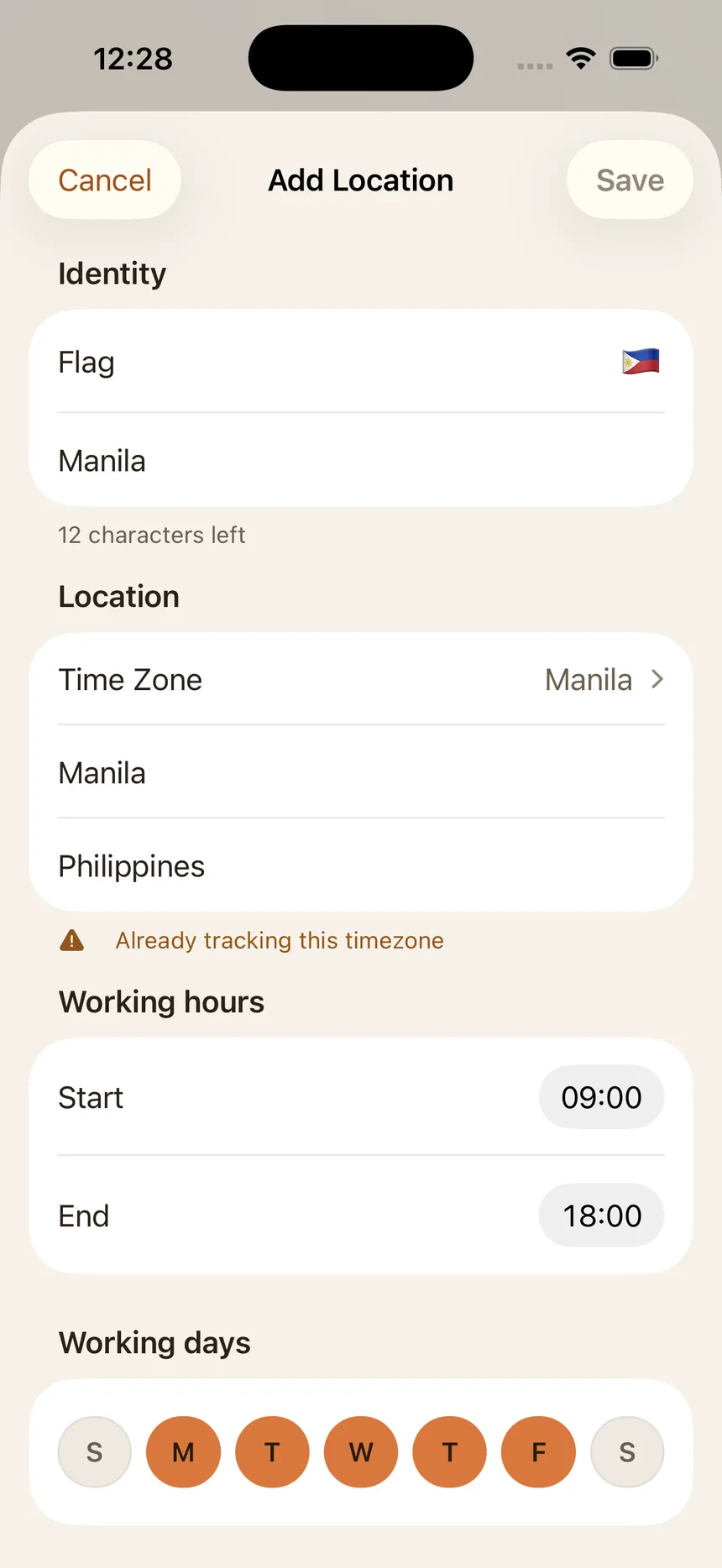
Give every location its own start and end hours, then tap the days that apply — Sunday–Thursday as readily as Monday–Friday. Gulf and wider MENA schedules are a real setting here, not an edge case.
Zonely
No more time-zone math. Know who’s likely working before you send that message.

Gulf & MENA ready
Give every location its own start and end hours, then tap the days that apply — Sunday–Thursday as readily as Monday–Friday. Gulf and wider MENA schedules are a real setting here, not an edge case.
At a glance
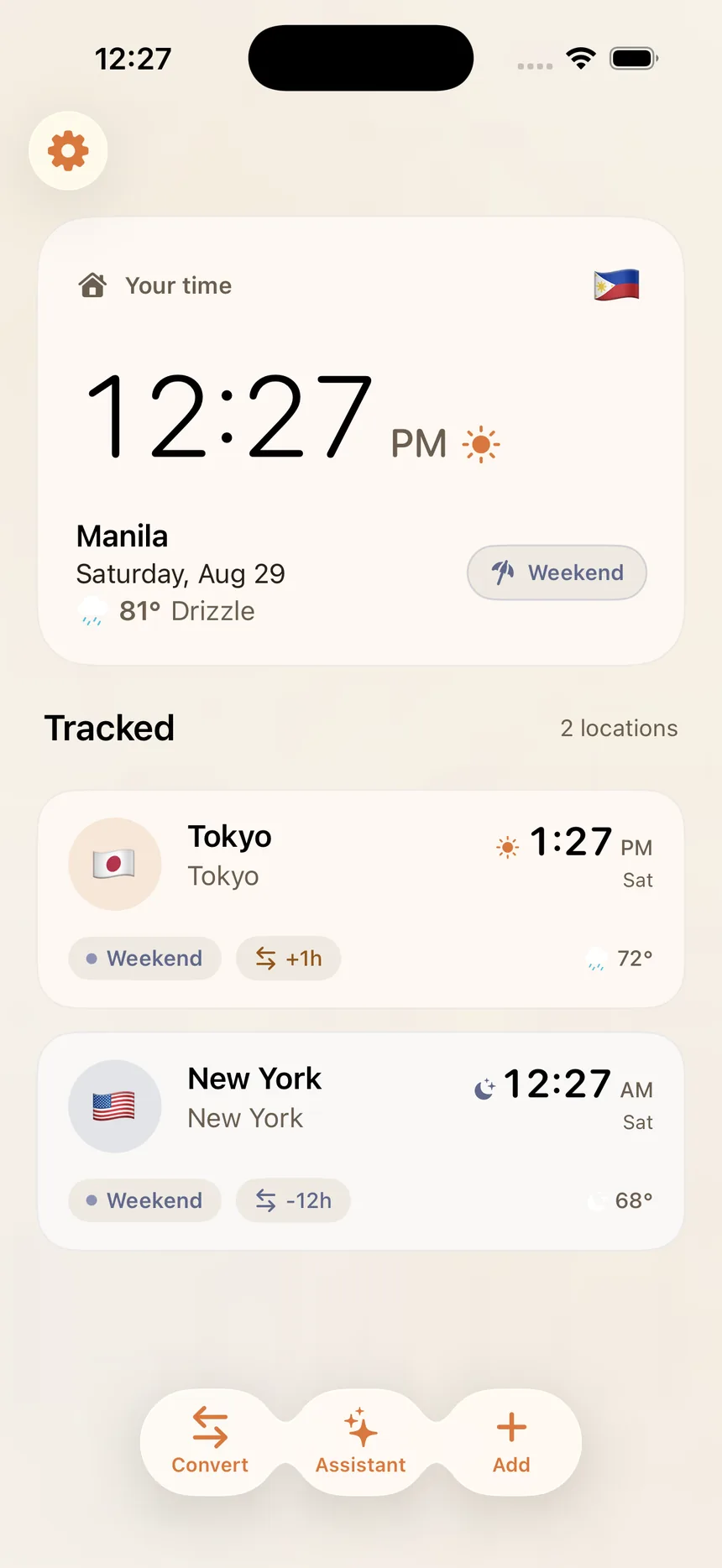
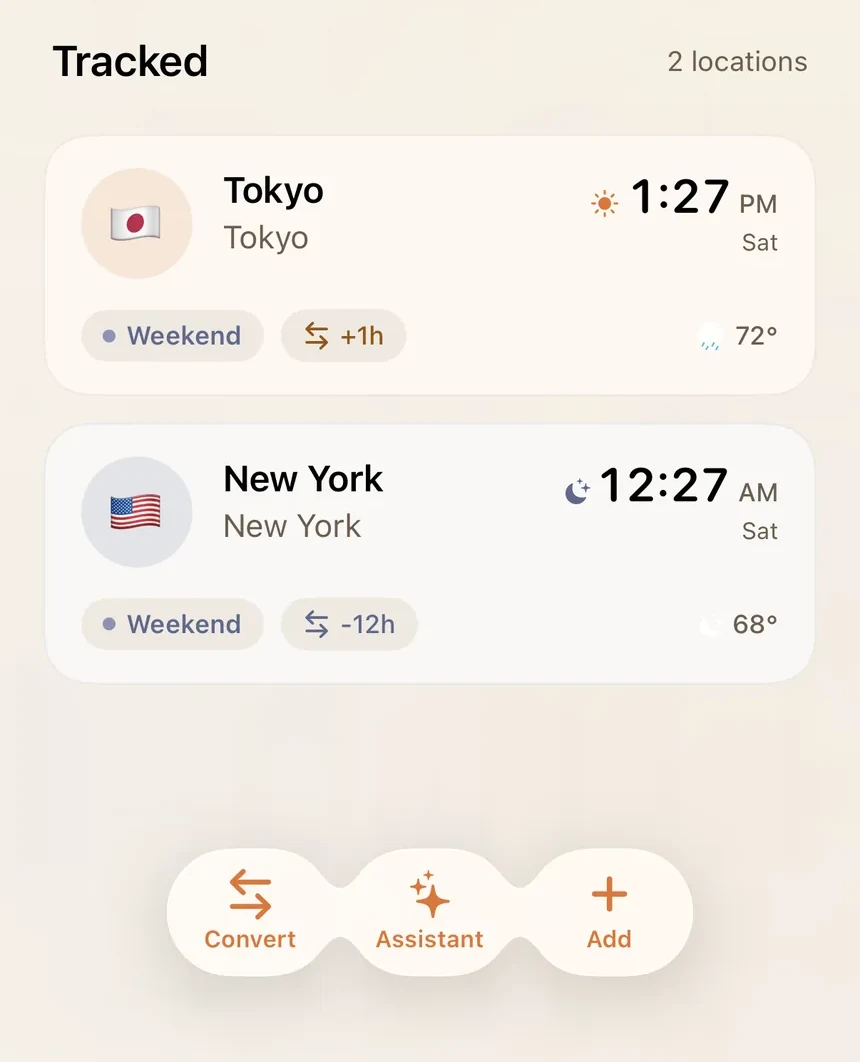
Your own time sits at the top, and every tracked city follows with its local time, day, offset from home, and whether it’s a working day or the weekend. Read the list, then decide who to message.
Convert Time
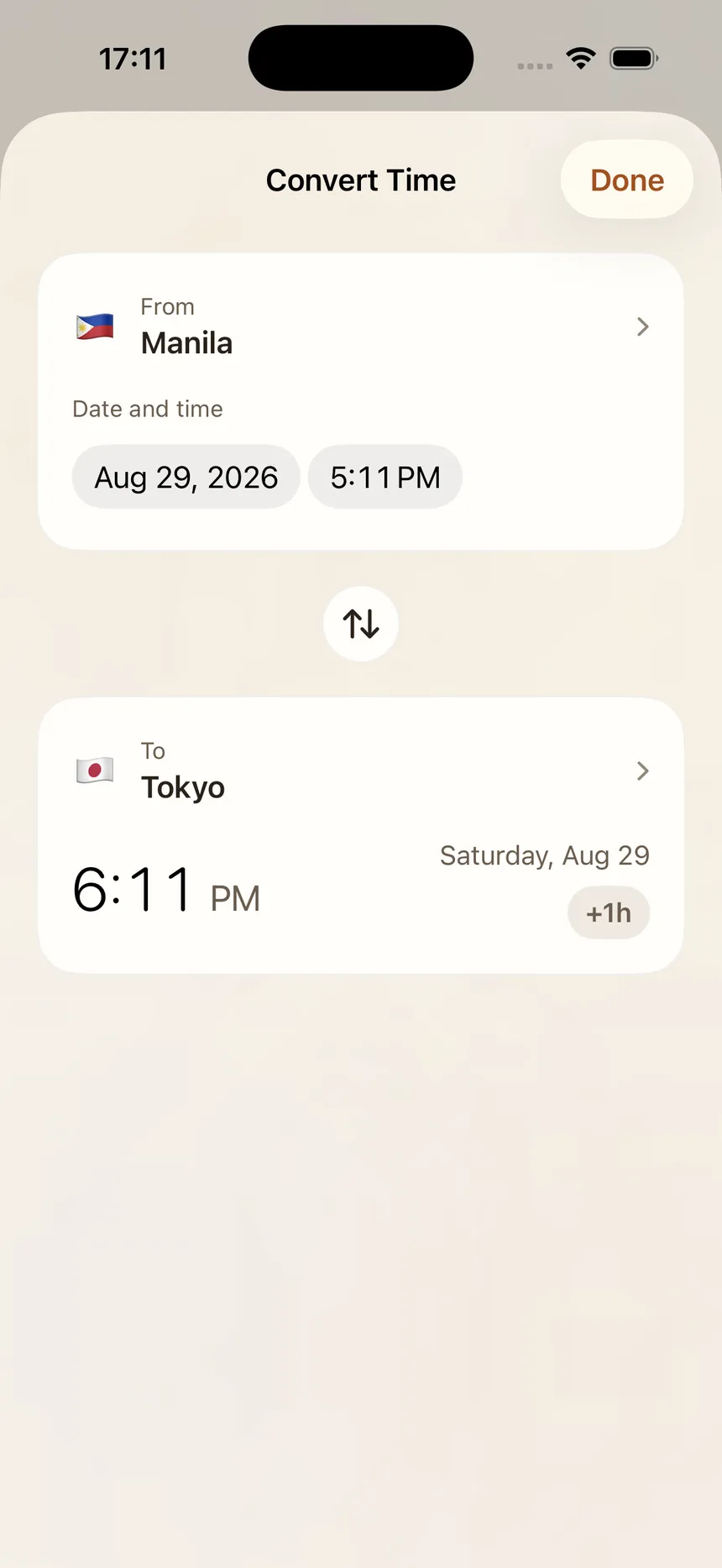
Pick the city you’re starting from and the date and time you have in mind, then choose where you’re asking about. Zonely returns the converted time with the day and the offset spelled out, so there’s no arithmetic to second-guess.
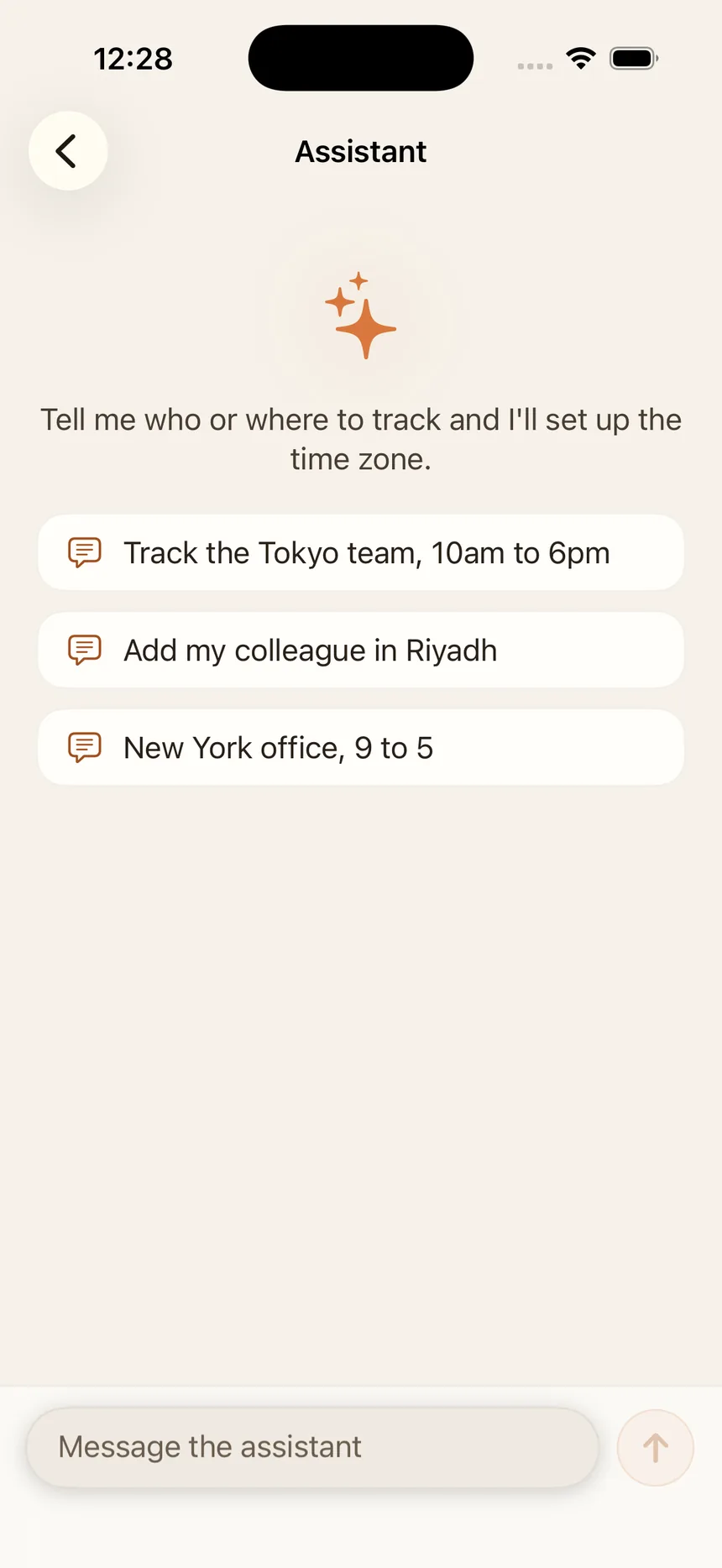
Assistant
Type or say what you want tracked — “add the Dubai office, 9 to 5” — and the assistant fills in the zone, hours, and days. It runs on device with Apple Intelligence where that is available, and adding a location by hand always works.
Private by design
No account, no backend, no sync. Locations, schedules, and holidays you add stay stored on your device — the only thing that ever leaves it is a city coordinate, sent to Apple's WeatherKit for the decorative weather on iPhone and Mac.
Know who’s working before you ping.